SkeletonHive

SkeletonHive is a new cross-platform Digital Audio Workstation (DAW) for musicians, composers, and audio engineers.
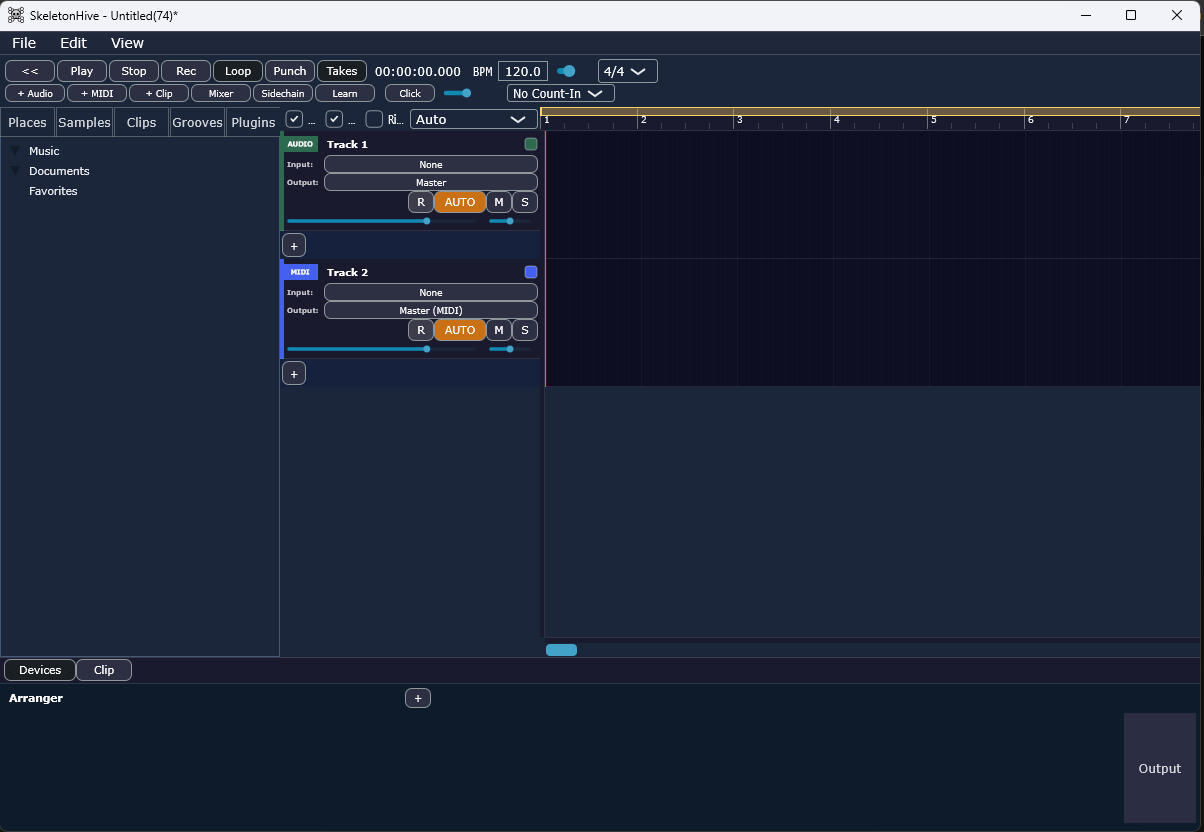
Features
-Multi-track arrangement timeline (audio + MIDI)
-MIDI sequencing with piano roll editor (velocity, CC, pitch bend, aftertouch lanes)
-Audio and MIDI recording with punch/loop modes, metronome and count-in
-Audio export/bounce to WAV or FLAC
-VST3 plugin hosting (AU on macOS); VST3 effects can run in a crash-isolated sandbox process (Preferences → Devices)
-Mixer with level meters, sends and sidechain routing
-Parameter automation (Read / Touch / Latch) with editable lanes
-Arrangement markers and tempo/time-signature map editing
-Track freeze
-Customizable keyboard shortcuts and preferences (theme, autosave, audio)
-MIDI controller learn for mixer fader/pan parameters; generic control-surface fader bank (CC 1–8 volume, CC 9–16 pan) with session-grid LED feedback
-Audio clip inspector (gain, transpose, reverse, speed, loop) in the arrangement view
-Take lanes and comping for audio/MIDI clips (loop-record takes, comp editing, flatten)
-In-place consolidate (Ctrl/Cmd+J) and flatten-to-audio for device chains
-Linked clip-group editing (inspector + fade curves propagate to grouped peers)
-Plugin hot-swap (Replace…) with state transfer; per-device preset browser with A/B compare
-Default device chains for new audio/MIDI tracks (Preferences → Devices)
-Native instruments: Sampler, Drum Rack, and 4OSC Synth with dedicated editors (waveform regions, mod matrix)
-Sample browser with library scan, hover preview, and drag-to-timeline import (auto-inserts Sampler on empty MIDI tracks)
-Clip library with drag-to-save presets, export-to-library, and Collect All and Save
-Live-style detail panel (Devices | Clip tabs) with roaming track focus across tray, inspector, and automation
-Global groove pool with project persistence; apply to MIDI clip selection (Shift+H) or from Grooves browser tab
-Plugin browser embedded in left browser panel (Plugins tab)
-Session View grid (Tab toggle) with clip slots, scene launch, launch quantization, and browser drag-to-slot import
-Session ↔ Arrangement bridge: Record to Arrangement (Rec>), Capture & Insert (Shift+C), and Commit Loop to Arrangement
-Session performance features: per-slot follow actions, legato launch, MIDI note mapping to slots, and a bottom-docked rack macro performance panel (Alt+P in Session View)
-MIDI clip scale lock (root/scale/Scale Lock in Clip inspector) with session playback filtering for out-of-scale notes
-Per-note probability and iteration lanes in the piano roll; session clips re-roll on each loop cycle
-Session grid virtualization for large track counts (visible-row slot pooling)